Default Animations
Starting with 0.3.0. Hero provides several default transitions. These can also be customized & combined with your custom heroID & heroModifiers. Makes transitions even easier to implement.
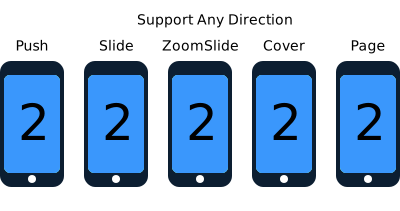
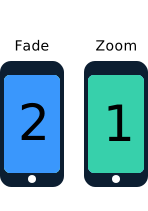
Use Hero.shared object to interact and change the default animation for your next transition.
  /// Turn off built-in animation for next transition
  func disableDefaultAnimationForNextTransition()

  /// Set the default animation for next transition
  /// This usually overrides rootView's heroModifiers during the transition
  ///
  /// - Parameter animation: animation type
  func setDefaultAnimationForNextTransition(_ animation: HeroDefaultAnimationType)

  /// Set the container color for next transition
  ///
  /// - Parameter color: container color
func setContainerColorForNextTransition(_ color: UIColor?)Please checkout HeroDefaultAnimations.swift for supported animations.
Many of these animations support directions(up, down, left, right).
.auto is the default animation type. It uses the following animations depending on the presentation style:
-
.noneif source root view or destination root view have existing animations (defined viaheroIDorheroModifiers). -
.push&.pullif animating within a UINavigationController. -
.slideif animating within a UITabbarController. -
.fadeif presenting modally. -
.noneif presenting modally withmodalPresentationStyle == .overFullScreen.
Will determine the animation type by whether or not we are presenting or dismissing.
For example:
.selectBy(presenting:.push(.left), dismissing:.pull(.right))Will use left push animation if presenting a VC, or right pull animation when dismissing a VC.
Other than .auto & .none, default animations will override heroModifiers on source & destination root views.