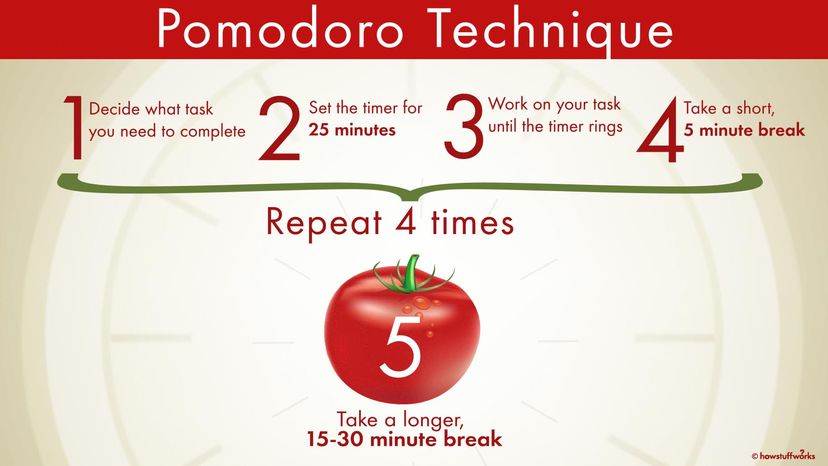
This exercise will focus on Pomodoro-style 🍅 pairing using the fizz buzz kata.
❗ In this workshop we are going to use Node.js and the Jest framework to run JavaScript code and tests from the command line.
✏️ After installing Node.js LTS, open up a command line window (Command Prompt or Powershell in Windows or Terminal in macOS) and type node -v, you should see a version number:
$ node -v
v22.13.1
✏️ Verify that npm (Node Package Manager) was installed by typing npm -v, you should see a version number:
$ npm -v
10.9.2✏️ While still in the command line window, change the current working directory to the location where you cloned this repository (where package.json is located). Then type npm install:
$ npm install
...
added 515 packages in 8.219s
If you see warnings of vulnerabilities don't worry. We only run our code locally, the vulnerabilities are of no concern to us during these exercises.
If you want to you can run npm audit fix and it will try to fix the vulnerabilites for you.
📖 We are going to use the Jest framework for writing and running tests.
✏️ While still in the command line window, make sure the current working directory is the location where you cloned this repository (where package.json is located).
Then type npm test -- exercise-1:
$ npm test -- exercise-1
...
Ran all test suites matching /exercise-1/i.
This command runs the test script defined in package.json, which in turn calls the jest command with the parameter exercise-1. Jest then runs all tests found in the exercise-1 directory.
💡 Please refer to the Jest documentation if you have any questions not covered here regarding the framework.
💡 Note that there is no coding in this sub-section. This is an introduction to jest as a test-framework. The content of this section may be a useful reference when you are writing your tests.
📖 To declare a test use the test function:
test("did not rain", () => {
  expect(inchesOfRain()).toBe(0);
});
The first parameter sets the test name ("did not rain"), the second parameter is a function containing one or more asserts.
📖 Jest has several assert functions available. Jest calls them "matchers". Here is a simple example:
test("two plus two is four", () => {
  expect(2 + 2).toBe(4);
});
📖 expect(2 + 2) returns an object called an "expectation" object. These are used to call matchers on, like toBe(4).
📖 toBe uses Javascripts built in Object.is function to test exact equality.
📖 To check the value of an object, use toEqual instead:
test("the shipping list is correct after adding brunost", () => {
  let shoppingList = ["melk"];
  shoppingList.push("brunost");
  expect(shoppingList).toEqual(["melk", "brunost"]);
});
📖 toEqual recursively checks every field of an object or array.
💡 Read more about using matchers in the Jest matchers documentation.
Tests can be grouped together using the describe function:
const shoppingList = ["melk", "brunost"];

describe("shopping list", () => {
  test("is 2 items long", () => {
    expect(shoppingList.length).toBe(2);
  });

  test("has brunost in it", () => {
    expect(shoppingList).toContain("brunost");
  });
});📖 Fizz buzz is a word game designed teach children about division. Players take turns to count upwards from 1, replacing any number divisible by three with the word "Fizz", and any number divisible by five with the word "Buzz".
- Write a program that prints the numbers from 1 to 100
- For numbers which are multiples of three print "Fizz" instead of the number
- For numbers which are multiples of five print "Buzz"
- For numbers which are multiples of both three and five print "FizzBuzz"
Example output:
1
2
Fizz
4
Buzz
Fizz
7
8
Fizz
Buzz
11
Fizz
13
14
FizzBuzz
16
17
Fizz
19
Buzz
... etc up to 100❗ Session length: One pomodoro 🍅 - 25 minutes
✏️ Run through the Fizz buzz kata described above in pairs. Use Test Driven Development.
✏️ Use pomodoro-style 🍅 pairing: The Driver (writes the code) and the observer (helps, reviews and remembers things you need to do later on).
✏️ Rotate every 5-6 minutes by swapping seats (the driver becomes the observer, and vice versa). Use the same computer.
💡 Skeleton functions are created in the exercise files. The function fizzBuzzRange takes in one argument max, which will be the length of the fizzBuzz-range you are creating. The function should return an array of elements, where each element is either a number, "Fizz", "Buzz" or "FizzBuzz".
fizzBuzzRange(5) should return [1, 2, "Fizz", 4, "Buzz"].
💡 You will see some tests already present in the tests-file. You are welcome to delete these tests, as they only serve a demonstrative purpose until you write your own tests.