
Low-code Admin panel and Business intelligence Rails engine (no DSL - configurable from the UI).
🤓 Demo App | 👀 Features overview | ⭐ Pro

Add this line to your application's Gemfile:
gem 'motor-admin'And then execute:
$ bundle installCreate and run migration:
$ rails motor:install && rake db:migrate- Customizable CRUD
- Custom actions
- Virtual attributes
- Forms builder
- SQL queries
- Data visualization
- Dashboards
- Email alerts
- Authorization
- Active Storage
- Intelligence search
- I18n
- Optimized for mobile
- Configurations sync between environments
- Authentication
- Multiple databases support
- Audit log
- Live collaboration notes
- Personalized report alerts via Slack
- Custom styling and logo (white label)
- Multi-factor authentication
- SSO/SAML
- learn more


Everything in the admin panel can be configured using the intuitive settings UI, which can be opened via the icon in the top right corner.
Data displayed on the resource page can be completely customized via SQL queries and dashboards attached to the resource as a tab. Usually, queries used to display resource data should contain {{resource_name_id}} variable.
Learn more about resource customizations

Custom resource actions can be added via Active Record method call, API endpoint, or custom forms. Also, it's possible to override default create/update/delete actions.
Any ActiveRecord model method or attribute can be exposed to the admin panel by adding a new column with the name that matches the method name from the resource model:
class Customer < ApplicationRecord
  has_many :orders

  def lifetime_value
    orders.sum(&:total_price)
  end
end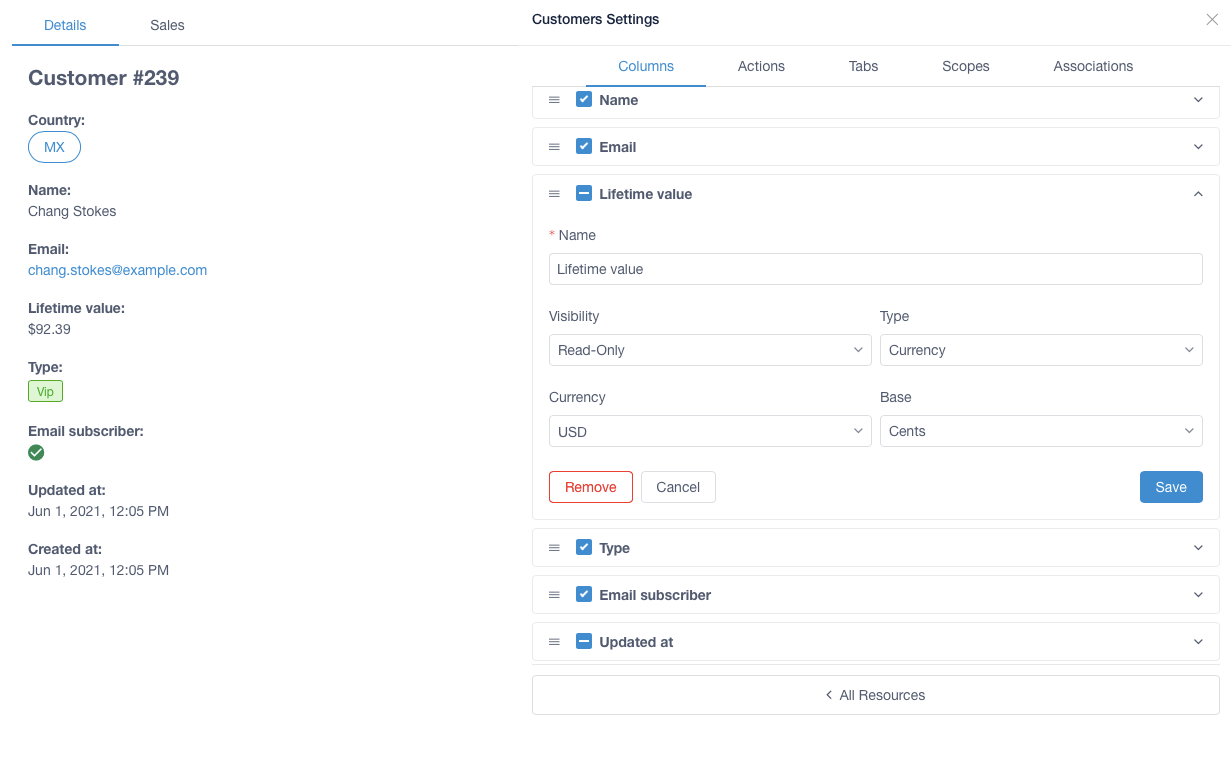
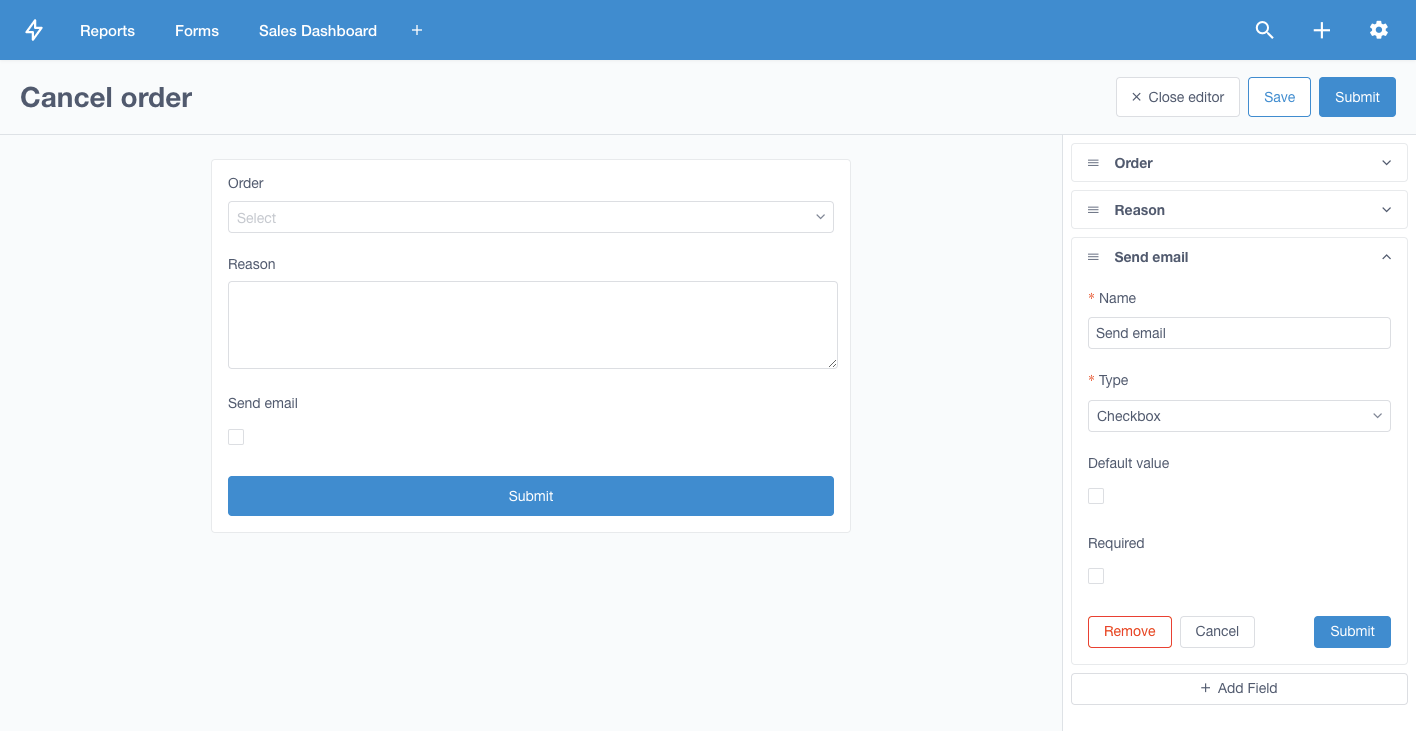
Values from the form fields can be used in API path via {field_name} syntax: /api/some-endpoint/{resource_id}/apply.
Learn more about custom forms builder

Queries can include embedded variables via {{variable}} syntax (mustache). {{#variable}} ... {{/variable}} syntax allows to decide if conditions inside the scope should be included in the query.

Data from the SQL query can be represented as: table, number, line chart, bar chart, pie chart, funnel, markdown.
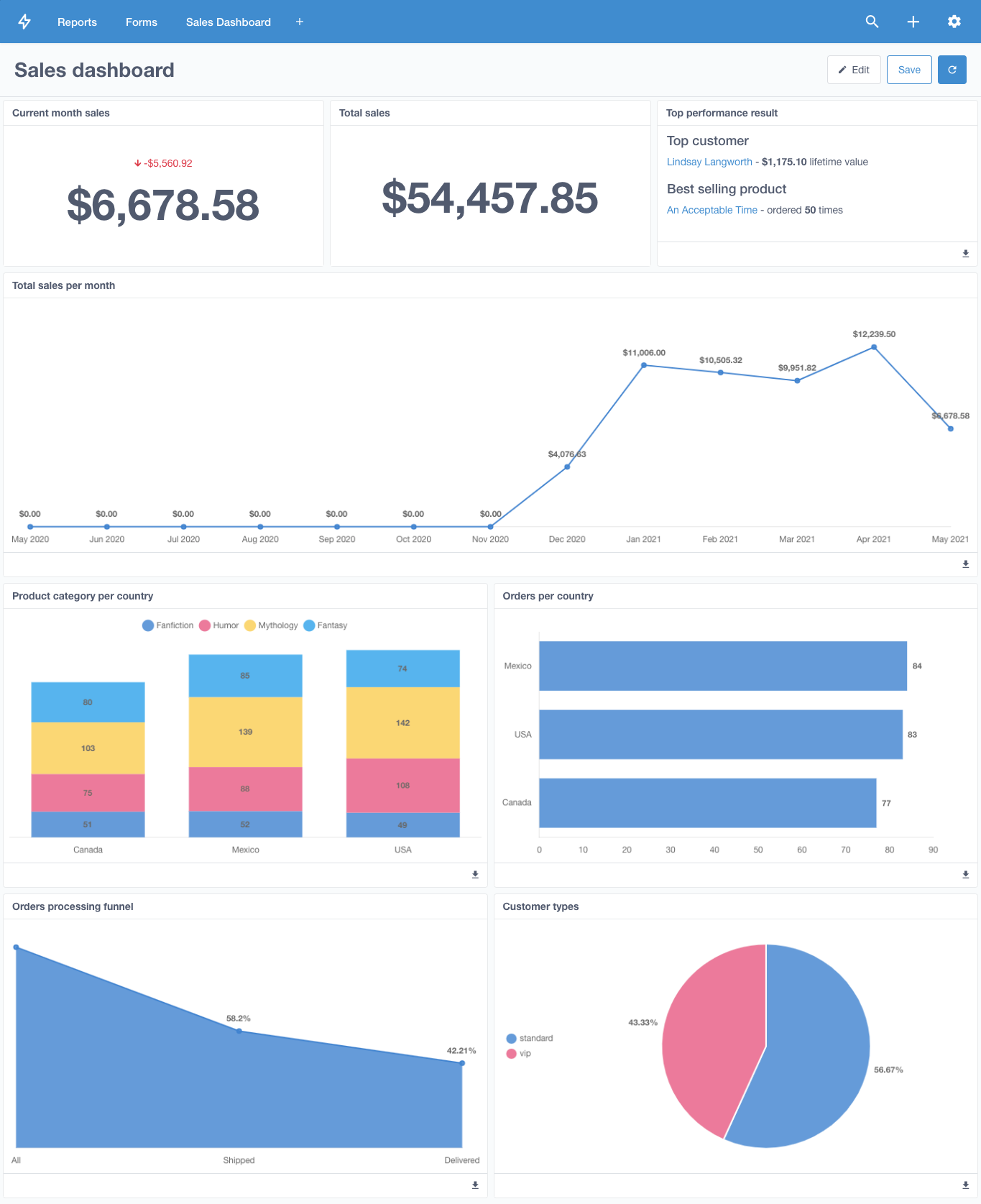
SQL queries can be organized into dashboards to create a convenient representation of the data.
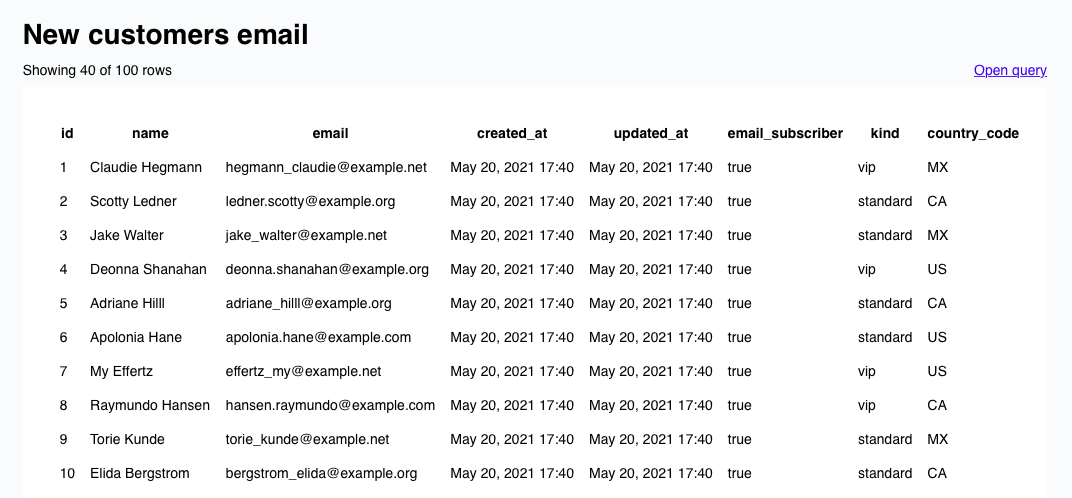
Query data can be sent via email periodically using the alerts feature. Interval of the alert email can be specified using natural language, e.g., every day at midnight, every Monday at 8 PM, every weekday at 6AM and 6PM, every minute.
Sender address can be specified using MOTOR_ALERTS_FROM_ADDRESS environment variable.

Intelligence search can be opened via the top right corner button or using Cmd + K shortcut.
Motor Admin allows to set row-level and column-level permissions via cancan gem. Admin UI permissions should be defined in app/models/motor/ability.rb file in Motor::Ability class. See Motor Admin guide and CanCan documentation to learn how to define user permissions.
Motor Admin is configured by default to perform uploads to the provider you configured in your storage.yml file for Active Storage. If you are using large uploads within Motor Admin you will need to enable direct uploads by setting the following ENV variable.
MOTOR_ACTIVE_STORAGE_DIRECT_UPLOADS_ENABLED=trueNote: At the moment, this will enable direct uploads globally
Motor Admin can use Rails ActiveRecord i18n keys to render resource translations:
es:
  activerecord:
    models:
      customer:
        one: Cliente
        other: Clientes
    attributes:
      customer:
        name: Nombre
    scopes:
      customer:
        enabled: Activado
All admin panel configurations are automatically stored in the config/motor.yml file. It's recommended to include this file in the application git repository to always have the admin panel configurations in sync across different local and remote environments.
It's possible to sync local development admin panel configurations with remote production application via rake motor:sync task:
MOTOR_SYNC_REMOTE_URL=https://remote-app-url/ MOTOR_SYNC_API_KEY=secure-random-string rake motor:syncAdmin panel can be secured with 'Basic authentication' by specifying MOTOR_AUTH_USERNAME and MOTOR_AUTH_PASSWORD environment variables.
Alternatively, it can be secured with devise or any other authentication library used by the application:
authenticate :admin_user do
  mount Motor::Admin => '/admin'
end- Ruby 3.3.1 (see
.ruby-version) - Node.js (v18+ recommended)
- Yarn package manager
- SQLite3 (for development)
The easiest way to get started is using Docker:
docker-compose upThis will:
- Install all Ruby and Node.js dependencies (only if needed)
- Build frontend assets (only if needed)
- Generate required gzipped assets
- Start the Rails server on http://localhost:3000
Smart Setup: The Docker setup is intelligent - it only installs dependencies and builds assets when needed, making subsequent runs much faster.
Optional Helper Commands:
./bin/docker-dev start    # Same as docker-compose up
./bin/docker-dev build    # Force rebuild image
./bin/docker-dev clean    # Clean up Docker resources
./bin/docker-dev logs     # View application logs
./bin/docker-dev shell # Open shell in containerUse the provided setup script:
./bin/dev-setupThen start the server:
DATABASE_TYPE=sqlite rails server-
Install dependencies:
bundle install
cd ui && yarn install && cd ..
-
Build frontend assets:
cd ui && yarn run build:dev && cd ..
-
Generate gzipped assets:
find ui/dist -name "*.js" -o -name "*.css" -o -name "*.svg" | xargs -I {} gzip -k {}
-
Setup database:
rake app:db:create app:db:setup
-
Start server:
DATABASE_TYPE=sqlite rails server
This mode serves pre-built assets from disk (recommended for most development):
DATABASE_TYPE=sqlite rails serverFor frontend development with live reloading:
-
Start webpack dev server:
cd ui && yarn serve
-
In another terminal, start Rails server:
MOTOR_DEVELOPMENT=true DATABASE_TYPE=sqlite rails server
The docker-compose.yml includes several profiles for different scenarios:
docker-compose up
# Starts on http://localhost:3000docker-compose --profile dev up dev
# Starts on http://localhost:3001
# Webpack dev server on http://localhost:9090docker-compose --profile postgres up app postgresdocker-compose --profile mysql up app mysql- Development build:
cd ui && yarn run build:dev - Production build:
cd ui && yarn run build:prod - Test build:
cd ui && yarn run build:test
- Source files:
ui/src/ - Built assets:
ui/dist/ - Webpack config:
ui/webpack.config.js
-
Asset Location: Motor Admin serves assets directly from
ui/dist/, not from apublic/folder. The gem's asset serving is handled by theMotor::Assetsmodule. -
Gzipped Assets: The Rails app expects gzipped versions of assets when not in development mode. Always run the gzip command after building assets.
-
Asset Manifest: The
ui/dist/manifest.jsonfile maps asset names to their hashed filenames. -
Icons: SVG icons are served from
ui/dist/icons/and also need gzipped versions. -
Public Folder: If a
public/folder is created during development, it should NOT be committed to version control. It's added to.gitignoreto prevent accidental inclusion.
Motor Admin Rails supports multiple databases:
- SQLite (default):
DATABASE_TYPE=sqlite - PostgreSQL: Set up connection in
config/database.yml - MySQL: Set up connection in
config/database.yml - SQL Server: Requires
activerecord-sqlserver-adaptergem
Key environment variables for development:
DATABASE_TYPE: Database type (sqlite, postgresql, mysql)MOTOR_DEVELOPMENT: Enable development mode (hot reloading)RAILS_ENV: Rails environment (development, test, production)RAILS_LOG_LEVEL: Logging level (debug, info, warn, error)
-
500 errors for assets: Missing gzipped versions
find ui/dist -name "*.js" -o -name "*.css" -o -name "*.svg" | xargs -I {} gzip -k {}
-
node-sass errors: Use Node.js 18+ and ensure
sasspackage is installedcd ui && yarn add -D sass && yarn remove node-sass
-
Missing Babel plugins: Install required plugins
cd ui && yarn add -D @babel/plugin-syntax-dynamic-import
-
ActiveRecord errors: Ensure database is set up correctly
rake app:db:create app:db:setup
To debug asset issues:
- Check if assets exist:
ls -la ui/dist/ - Check manifest:
cat ui/dist/manifest.json - Check gzipped versions:
ls -la ui/dist/*.gz ui/dist/icons/*.gz - Check Rails logs for asset request errors
- Build cache issues: Use
docker-compose build --no-cache - Permission issues: Ensure files are readable by the docker user
- Port conflicts: Check if ports 3000/3001/9090 are available
Run the test suite:
bundle exec rspecFor frontend testing:
cd ui && yarn test # if test script existsWhen contributing:
- Ensure all tests pass
- Build and test assets work correctly
- Update documentation if needed
- Follow existing code style and patterns
Motor Admin is licensed under the MIT license.