



Why? • Getting started • How it works • FAQ • Drawbacks • Contribute • Thanks to • You may also like...
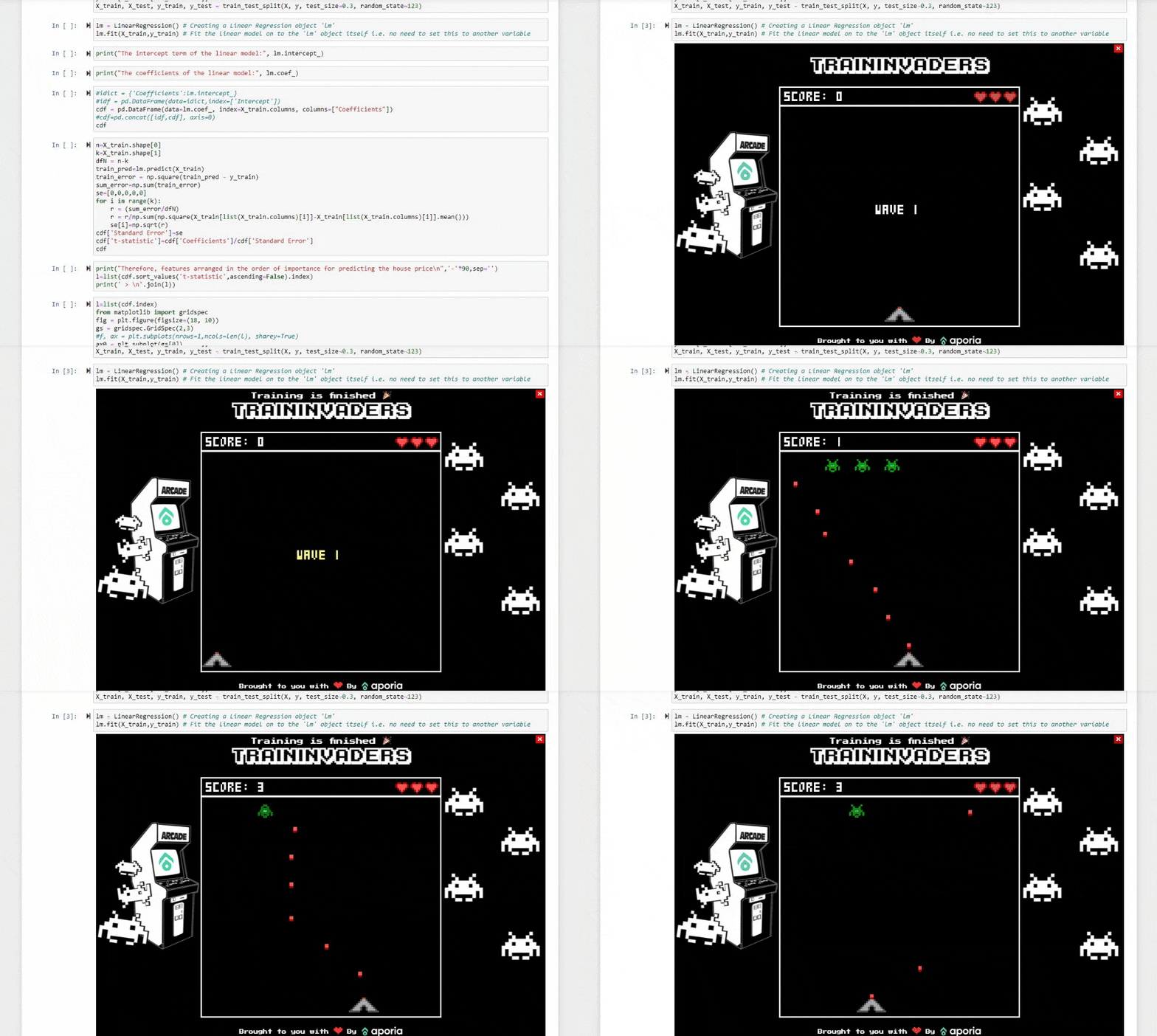
Training a model can be a long long process!
In the meantime, have a bit of fun with a competitive space invaders game.
See if you can get your name to the top of the leaderboard.
- Install the game:
!pip3 install train_invaders --upgrade - Import the game in your notebook:
import train_invaders.start - Start training your model. The game will automatically pop up when the process begins.
- Play the game! You'll get notified when your training is finished.
- Want to stop the game from popping up when the model is being trained?
import train_invaders.stopwill do the work.
Tons of magic... Just kidding :)
When importing the start module, its code will be executed.
The code utilizes python's settrace function which follows the functions' call stack.
When a function named fit train or train_on_batch is called - using Jupyter notebook's kernel, aka, IPython, a javascript view code will be injected inside the output block as an iframe to keep it completely isolated from your code.
When importing the stop module, the settrace function will be canceled and the function hooks will be removed.
NO. The game will start and be played in parallel to the training and will even let you know when the training is finished.
- Training stop indication is only in Jupyter Notebook. Want to get notified by email or text? Try MLNotify
- Authentication, and therefore, saving your score can only be done from
localhostand port8888 - 8891 / 8080 / 8081
Have an awesome idea for a new feature? PRs are more than welcome!
- Clone the project
- Run
make build-gameto get a local and compiled copy of the game (if not exists) - Enter
src/viewdirectory and runnpm run serveto run the local environment - Implement your ideas
- Made changes in the game (C files)? Re-run
make build-gamefrom root dir and check them out - Enter root directory, run
make build,pip install . --upgradeand test the changes in your notebook - PR us!
JanSiebert for the WebAssembly game.
Cody Boisclair for the PressStart2P font.
Vue for the awesome FE framework.
Aporia - Customized monitoring for your ML models.
MLNotify - Get notified when training is complete.
MLOps Toys - A curated list of useful MLOps tools.