Modern web application for searching and creating video clips from the popular Polish series "Ranczo."
This is a web UI for RANCZO_KLIPY API


Dla polskiej wersji dokumentacji, zobacz README.pl.md.
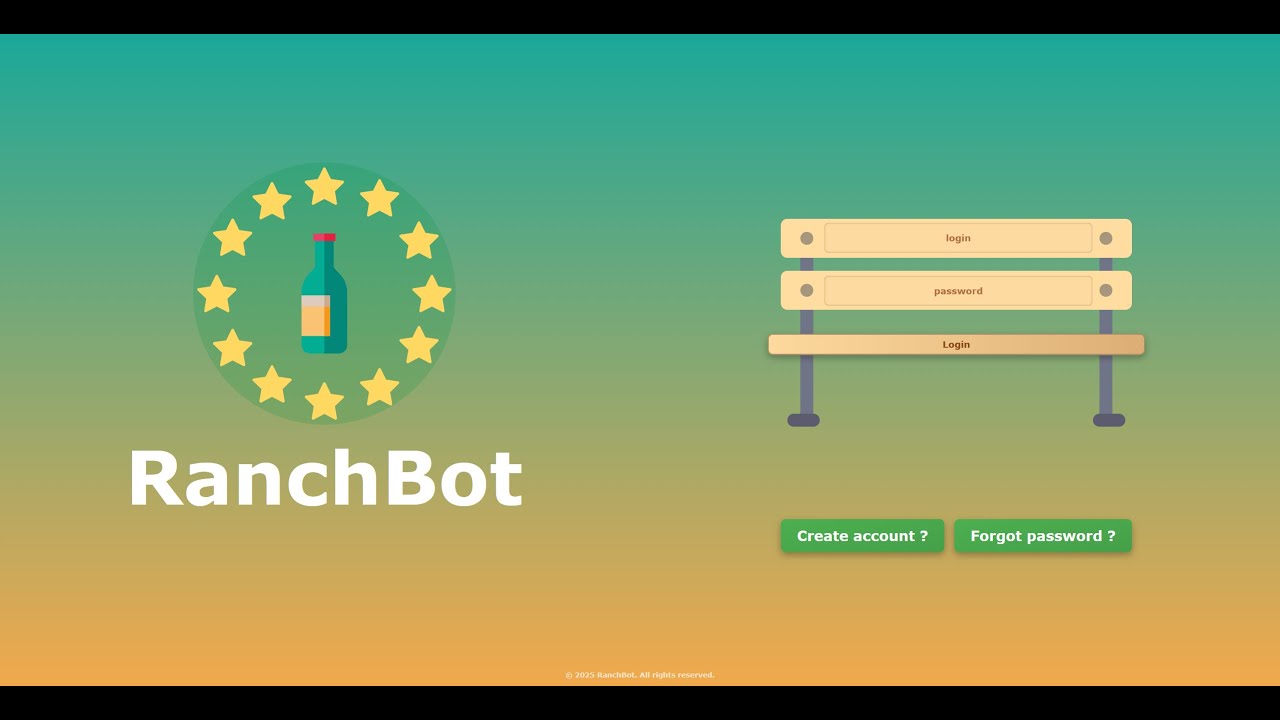
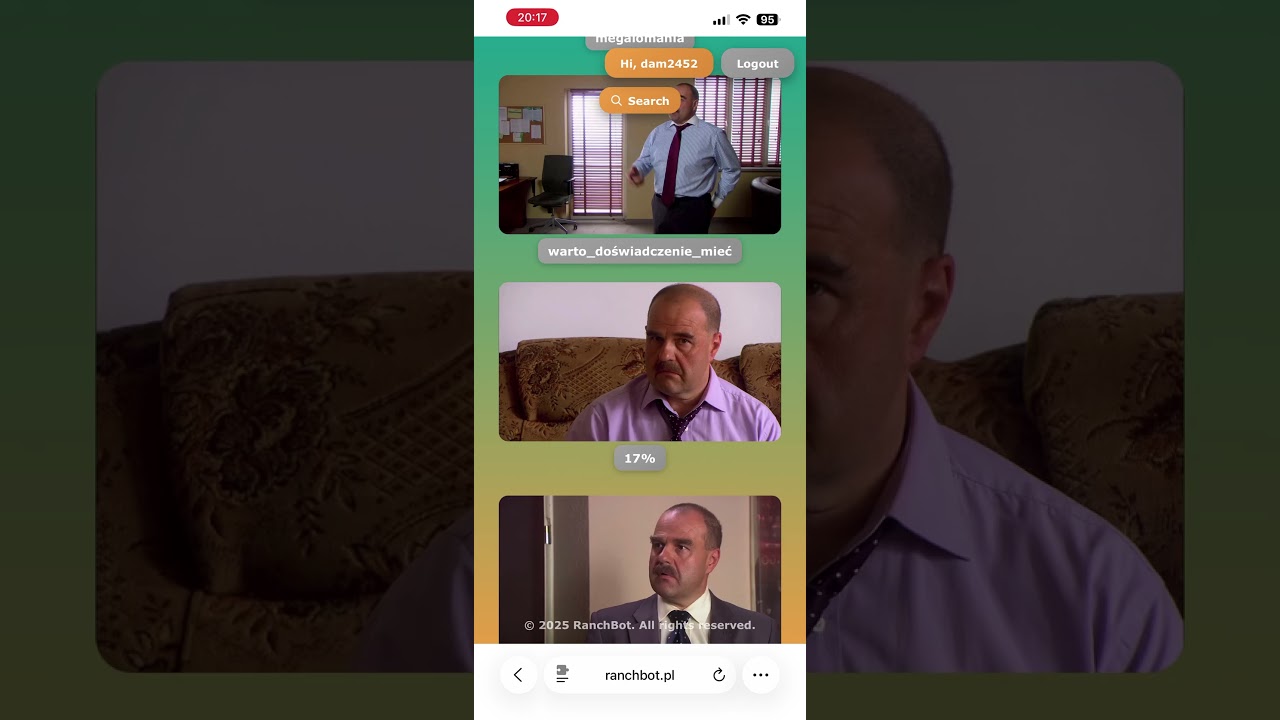


 Desktop - Home Page |
 Mobile - Search |
 Desktop - Saved Clips |
 Mobile - Search Results |
- Search for quotes and dialogues from the series
- Fast and accurate text-based search
- Real-time search results
- View video clips with selected scenes
- Download clips in MP4 format
- Save favorite clips to personal collection
- Automatic thumbnail generation with caching
- Fine-tune clip start and end times
- Preview changes in real-time
- Create custom compilations
- Secure session-based authentication
- Personal clip collections
- User preferences
- Works perfectly on desktop, tablet, and mobile
- Touch-optimized mobile interface
- Progressive Web App ready
- HTTP-only session cookies
- JWT token validation
- API proxy for secure communication
- CORS configuration
- Background processing for thumbnails and video adjustments
- Non-blocking operations
- Multiple workers for parallel processing
- Vue 3 - Progressive JavaScript framework
- TypeScript - Type safety
- Vite - Fast build tool
- Pinia - State management
- Vue Router - Client-side routing
- Tailwind CSS - Utility-first CSS
- FastAPI - Modern Python web framework
- Uvicorn - ASGI server
- Pydantic - Data validation
- httpx - Async HTTP client
- Pillow - Image processing
- python-jose - JWT handling
- RabbitMQ - Message broker for queue processing
- pika - RabbitMQ client for Python
- RabbitMQ - Message queue for asynchronous task processing
- Docker - Containerization
- Caddy - Web server for production
System:
- Node.js 20.19+ or 22.12+
- Python 3.10+
- RabbitMQ 3.13+
- Docker (optional, but recommended)
Backend Dependencies:
- FastAPI, Uvicorn, Pydantic, httpx, Pillow, python-jose, passlib, pika
Frontend Dependencies:
- Vue 3, TypeScript, Vite, Pinia, Vue Router, Axios, Tailwind CSS
# 1. Clone the repository
git clone https://github.com/dam2452/RanchBotWeb.git
cd RanchBotWeb

# 2. Configure environment
cp .env.example .env
# Edit .env with your settings

# 3. Build and start all services (backend, frontend, RabbitMQ, workers)
docker-compose up -d

# View logs
docker-compose logs -f

# Stop services
docker-compose down
Access:
- Application: http://localhost:8880
- Backend API: http://localhost:8000
- RabbitMQ Management: http://localhost:15672 (guest/guest)
- Install and start RabbitMQ:
# Ubuntu/Debian
sudo apt-get install rabbitmq-server
sudo systemctl start rabbitmq-server

# macOS
brew install rabbitmq
brew services start rabbitmq

# Windows - download from https://www.rabbitmq.com/download.html# 1. Clone the repository
git clone https://github.com/dam2452/RanchBotWeb.git
cd RanchBotWeb
# 2. Setup Backend
cd backend
python -m venv ../.venv
source ../.venv/bin/activate # Windows: ..\.venv\Scripts\activate
pip install -r requirements.txt
# Configure environment
cp .env.example .env
# Edit .env with your settings (including RabbitMQ credentials)
# 3. Setup Frontend
cd ../vue-app
npm installTerminal 1 - RabbitMQ (if not running as service):
rabbitmq-serverTerminal 2 - Backend API:
cd backend
source ../.venv/bin/activate  # Windows: ..\.venv\Scripts\activate
python -m uvicorn app.main:app --reload --port 8000
Terminal 3 - Thumbnail Worker:
cd backend
source ../.venv/bin/activate
python workers/thumbnail_worker.py
Terminal 4 - Adjustment Worker:
cd backend
source ../.venv/bin/activate
python workers/adjustment_worker.py
Terminal 5 - Frontend:
cd vue-app
npm run dev
Access:
- Frontend: http://localhost:5173
- Backend API: http://localhost:8000
- RabbitMQ Management: http://localhost:15672
The application uses Docker Compose with the following services:
- rabbitmq - Message broker for asynchronous task processing
- backend - FastAPI application server
- worker-thumbnail - Background worker for thumbnail generation
- worker-adjustment - Background worker for video adjustments
- frontend - Caddy web server serving Vue.js application
# Build and start all services (production)
docker-compose up -d

# Build and start with development mode (exposes backend port 8000)
docker-compose -f docker-compose.yml -f docker-compose.dev.yml up -d

# View logs for specific service
docker-compose logs -f backend
docker-compose logs -f worker-thumbnail
docker-compose logs -f worker-adjustment

# Restart specific service
docker-compose restart backend

# Stop all services
docker-compose down

# Rebuild after code changes
docker-compose up -d --buildPOST /auth/login- Login user and create sessionGET /auth/logout- Logout current sessionPOST /auth/logout-all- Logout from all sessionsGET /auth/user- Get current user information
GET /clips?action=get_clips- Get user's saved clipsGET /clips/video/{clip_id}- Get video file for a specific clipGET /clips/thumbnail/{clip_id}- Get thumbnail for a specific clipPOST /clips/save- Save clip to user collectionPOST /clips/delete- Delete clip from user collection
POST /api/json- Proxy JSON API requestsPOST /api/video- Proxy video API requests (returns blob)POST /api/thumbnail- Generate thumbnail from video (async with RabbitMQ)POST /api/adjust-preview- Adjust video timing (async with RabbitMQ)POST /api/batch-load- Parallel batch loading of clips
Set ENABLE_API_DOCS=True in backend/.env to access:
- Swagger UI: http://localhost:8000/docs
- ReDoc: http://localhost:8000/redoc
- Frontend (Vue 3) - User interface on port 5173/8880
- Backend (FastAPI) - API server on port 8000, proxies to external API
- RabbitMQ - Message queue for async processing (thumbnails, video adjustments)
- Workers - Background processes consuming jobs from RabbitMQ
- External API (RANCZO_KLIPY) - Video processing service
cd backend

# Run tests
pytest tests/ -v

# Run specific test
pytest tests/test_auth.py -v

# Enable API documentation
echo "ENABLE_API_DOCS=True" >> .env

# Start with hot reload
python -m uvicorn app.main:app --reloadcd vue-app
# Type checking
npm run type-check
# Lint and fix
npm run lint
# Build for production
npm run build
# Preview production build
npm run previewcd backend
source ../.venv/bin/activate
# Run thumbnail worker with debug output
PYTHONUNBUFFERED=1 python workers/thumbnail_worker.py
# Run adjustment worker
PYTHONUNBUFFERED=1 python workers/adjustment_worker.py# RanchBot API
RANCHBOT_API_URL=http://your-api-url:8077/api/v1
DEV_JWT_TOKEN=your_jwt_token_here
# Session & Security
SECRET_KEY=your-secret-key-here
SESSION_MAX_AGE=86400
# CORS
ALLOWED_ORIGINS=http://localhost:5173,http://localhost:3000
# Server
HOST=0.0.0.0
PORT=8000
RELOAD=True
ENABLE_API_DOCS=False # Set to True for API documentation
# RabbitMQ
RABBITMQ_HOST=localhost
RABBITMQ_PORT=5672
RABBITMQ_USER=guest
RABBITMQ_PASS=guest# RanchBot API
RANCHBOT_API_URL=http://your-api-url:8077/api/v1
# Security
SECRET_KEY=your-secret-key-here
SESSION_MAX_AGE=86400
# CORS
ALLOWED_ORIGINS=http://localhost:8880
# RabbitMQ
RABBITMQ_USER=guest
RABBITMQ_PASS=guestContributions are welcome! Please feel free to submit a Pull Request.
- Fork the repository
- Create your feature branch (
git checkout -b feature/AmazingFeature) - Commit your changes (
git commit -m 'Add some AmazingFeature') - Push to the branch (
git push origin feature/AmazingFeature) - Open a Pull Request
- v2.0.5 - Added RabbitMQ queue processing, async thumbnail/adjustment generation
- v2.0.4 - Optimized Docker builds and caching
- v2.0.0 - Complete rewrite with Vue.js + FastAPI
- v1.0.0 - Original PHP version (archived in
PHP-v1-Versionbranch)
This project is licensed under the MIT License - see the LICENSE file for details.
Interested in using RanchBot Web? Contact via Telegram: @dam2452
GitHub: @dam2452
If you like this project and would like to support its development, consider getting me a mamrot!
