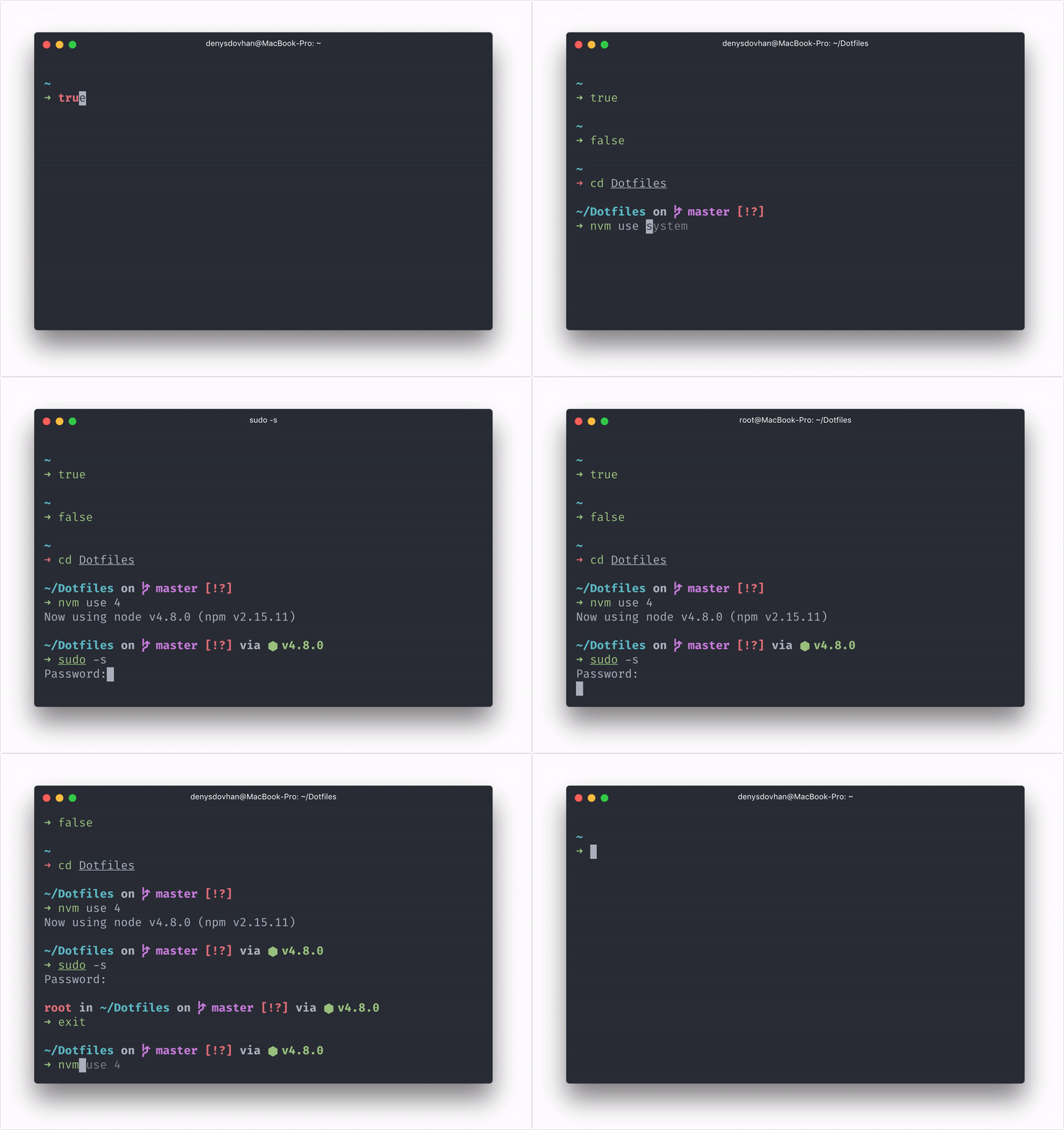
There are tons of useful things in here:
- The usefulness of Oh My ZSH! is already built–in.
- Spaceship as a prompt.
- Fish-like autosuggestion in Zsh.
- Syntax highlighting of commands while they are typed.
- Automatically closing and deleting of quotes and brackets when you type them.
- Browser-like substring search for history.
- zgen for dependency management.
- Lots of useful aliases.
- Modern CLI tools like
eza(smarterls),bat(smartercat),zoxide(smartercd). - Git config, global
.gitignorefile and aliases. - Homebrew bundle for bootstrapping a macOS workstation.
- A lot of useful bins.
updatescript for updating dotfiles, Zsh plugins, brew, and apt packages.
Missing feature? Fork this repo and make it better.
Dotfiles are installed by running one of the following commands in your terminal, just copy one of the following commands and execute in the terminal:
Tell Git who you are using these commands:
git config -f ~/.gitlocal user.email "email@yoursite.com"
git config -f ~/.gitlocal user.name "Name Lastname"
Clone dotfiles repo:
# Clone dotfiles repo
git clone https://github.com/denysdovhan/dotfiles.git $HOME/.dotfiles

# Go to the dotfiles directory
cd $HOME/.dotfiles

# Install dotfiles
./installUse single command to get the latest updates:
updateThis command refreshes sudo, pulls the latest dotfiles, reruns ./install --except shell, updates zgen and Zsh plugins, and updates brew when available.
Note: You may put your custom settings into
~/.zshlocal.
I suggest you to organize project folder as follows:
~/Projects
├── Forks       # for GitHub fork
├── Job         # for job projects
├── Playground  # for short-term experiments
└── Repos       # for long-term projects
Aliases are going to make your work fast and enjoyable. See code in $DOTFILES/lib/aliases.zsh. Here is what's included:
- Aliases from Oh-My-Zsh. See Oh-My-Zsh Cheatsheet for more.
- Easier navigation
..→cd .....→cd ../......→cd ../../.......→cd ../../../..~→cd ~-→cd -
- Folders shortcuts
dl→cd ~/Downloadsdt→cd ~/Desktoppj→cd ~/Projectspjr→cd ~/Projects/Repospjf→cd ~/Projects/Forkspjj→cd ~/Projects/Jobpjl→cd ~/Projects/Playground
- Commands Shortcuts
e→$EDITOR+x→chmod +xx+→chmod +xreload→ reload~/.zshrcclr→clear
- Open
open <FILE>— open file from terminal.o <FILE>— open file from terminal.oo— open current folder.term— open iTerm.
- Misc
update— get updates (Runs$DOTFILES/scripts/update).bootstrap— run machine bootstrap (Runs$DOTFILES/scripts/bootstrap).dotfiles— jump quickly into dotfiles folder.myip— my local IP address.password— generate random password, copies it into clipboard and outputs it to terminal.path— print $PATH in readable view.getpage— download web page with all assets.get— download file with original filename.git-root— jump to the current repo root.help— usetldrwhen available.lg— openlazygitwhen available.
Depending on installed tools, ls uses eza, cat uses bat, cd uses zoxide, and rm uses trash.
These OMZ plugins are included:
brew— Homebrew completions and helpers.git— git aliases and functions.history-substring-search— browser-like history search.npm— provides completion as well as adding many useful aliases.yarn— the same as fornpm, but foryarnnvm— auto-sourcingnvm.fnm—fnmintegration.pyenv—pyenvintegration.gh— GitHub CLI aliases and completions.sudo—[Esc] [Esc]to re-run previous command with sudo.ssh-agent— automatically starts ssh-agent to set up and load whichever credentials you want for ssh connections.gpg-agent— enablesgpg-agentif it is not running.dockeranddocker-compose— Docker helpers.fzf,direnv,bun,deno, and more.- More are listed in
.zshrc(it's hard to keep the list updated).
Dotfiles also include some functions that will make your life easier. See code in bin/.
emptytrash— empty the Trash on all mounted volumes and the main HDD.git-cleanup— removes old Git branches and does other cleanup.git-fork— add remote upstream.git-upstream— sync branch with upstream.gz— get gzipped file sizen— runs given command using binary innode_modules/.binof the current project.nyan— print nyan cat.password— generate a random password and copy it to the clipboard.
Note: Add your git user data and custom settings to
~/.gitlocal.
- UI color is
auto. - Default branch is
main. - Diff colors are:
white boldfor meta information;cyan boldfor frag;red boldfor old lines;green boldfor new lines.
- Default editor is Vim instead of Vi.
push.defaultset ascurrent.pull.rebaseset totrue.push.autoSetupRemoteset totrue.rerereenabled for conflict resolution reuse.- Automatic replacement
git://github.com/,gh:,github:addresses asgit@github.com:for GitHub. - Automatic replacement
git://gist.github.com/,gst:,gist:addresses asgit@gist.github.com:for Gists. - User custom settings gets from a
~/.gitlocalfile.
git a→git add— patch mode for specified files.git ua→git reset HEAD— unstage files.git b→git branch— list, create, or delete branches.git c→git commit— record changes to the repository.git m→git merge— merge branches.git mc→git merge --continue— continue merge after resolving conflicts.git co→git checkout— checkout a branch or paths to the working tree.git cb→git checkout -b— create and checkout branch.git sw→git switch— switch branches.git swc→git switch -c— create and switch branch.git ap→git add -p— add file contents to the index.git ca→git commit -a— commit with automatically stage files that have been modified and deleted.git cm→git commit -m— commit with commit message.git cam→git commit -am— add all files and commit with message.git s→git status -sb— short status with current branch.git main— go tomainbranch and pull from remote.git master— go tomasterbranch and pull from remote.git develop— go todevelopbranch and pull from remote.git remain— fetch latestmainand merge it into the current branch.git remaster— fetch latestmasterand merge it into the current branch.git git— do not complain aboutgit git.git l— commits log with pretty single line format.git ll— log with list of changed files for each commit.git ignore— ignore files: append file to.gitignore.git this— initialize, add all files and commit.git amend— amend last commit.git redo— amend last commit with its original message.git undo→reset --mixed HEAD^— reset index changes, but not the working tree.git discard→checkout --— discard changes.git contrib— list of contributors and how many commits each person has.git today— see how many lines of code you have written today.git sync— pull and push changes from/to remote.git lazy— openlazygit.git-root— go to repo root.git-cleanup [--force]— removes old Git branches.git-fork <original-author>— add remote upstream.git-upstream [branch]— sync branch with upstream (defaults tomaster).
Resources that I used to make these dotfiles better:
MIT © Denys Dovhan