Skip to content

Example to using vscode devcontainers for drupal projects

Notifications You must be signed in to change notification settings

kovhan/drupal-devcontainer-example


Folders and files

NameName
Last commit message
Last commit date

Latest commit


History

29 Commits


Repository files navigation

Example using Visual Studio Code for Drupal projects

Requirements

Follow official instruction

Quick start

  • Open vscode command pallete and type "Clone Repository"
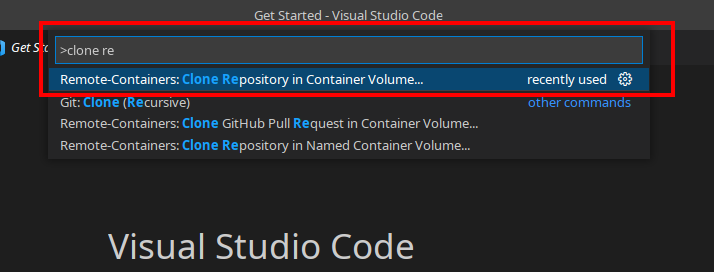
clone remote

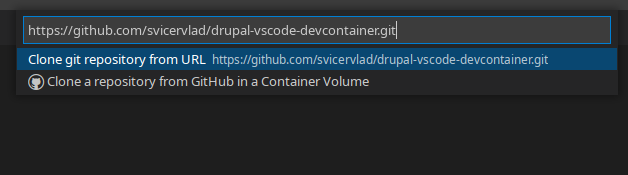
  • Copy https://github.com/svicervlad/drupal-vscode-devcontainer.git 2022-01-22_14-49
  • Wait to "composer install" and "drush site-install" commands is done

  • You can open http://localhost:8080 in your browser to see installed drupal

About

Example to using vscode devcontainers for drupal projects

Resources

Stars

Watchers

Forks

Releases

No releases published

Packages

No packages published

Languages

  • Dockerfile 63.3%
  • PHP 36.7%